I recently added a cartridge to MAME that emulated a MIDI port for the Color Computer. This post is about how to use the feature with the command line version of MAME.

First you’ll need to setup your host computer’s MIDI functionality. On macOS you use a program called Audio MIDI Setup in the Utilities folder. I do not know how to setup MIDI on a Windows or Linux computer.
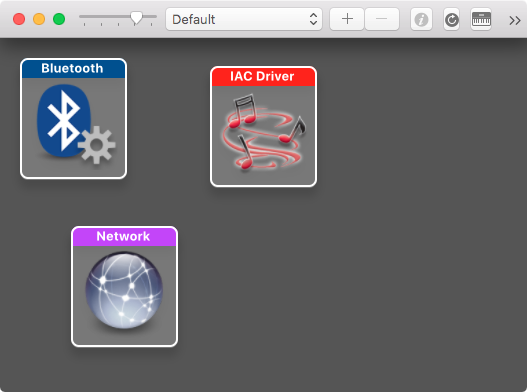
After setting up the host interface you will want to start MAME and have it list the MIDI interfaces it can find:
tlindner$ ./mame -listmidi

MIDI input ports:
IAC Driver Bus 1 (default)

MIDI output ports:
IAC Driver Bus 1 (default)
Next, let’s attach a Multi-Pak to the CoCo emulation’s expansion port and list the devices we can attach to each slot.
tlindner$ ./mame coco2b -ext multi -listslots
SYSTEM           SLOT NAME        SLOT OPTIONS     SLOT DEVICE NAME
---------------- ---------------- ---------------- ----------------------------
coco2b           rs232            dec_loopback     RS232 Loopback (DEC 12-15336-00)
                                  ie15             IE15 Terminal
                                  keyboard         Serial Keyboard
                                  loopback         RS232 Loopback
                                  null_modem       RS232 Null Modem
                                  printer          Serial Printer
                                  pty              Pseudo terminal
                                  rs_printer       Radio Shack Serial Printer
                                  sunkbd           Sun Keyboard Adaptor
                                  swtpc8212        SWTPC8212 Terminal
                                  terminal         Serial Terminal

                 ext              cc2hdb1          CoCo2 HDB-DOS
                                  cc3hdb1          CoCo3 HDB-DOS
                                  ccpsg            CoCo PSG
                                  cd6809_fdc       Codimex CD-6809 Disk BASIC (1986)
                                  cp450_fdc        Prológica CP-450 BASIC Disco V. 1.0 (1984)
                                  dcmodem          CoCo Direct Connect Modem PAK
                                  fdc              CoCo FDC
                                  fdcv11           CoCo FDC v1.1
                                  games_master     CoCo Games Master Cartridge
                                  midi             CoCo MIDI PAK
                                  multi            CoCo Multi-Pak Interface
                                  orch90           CoCo Orch-90 PAK
                                  ram              Disto 1024K RAM Cartridge
                                  rs232            CoCo Deluxe RS-232 PAK
                                  ssc              CoCo S/SC PAK
                                  stecomp          Speech Systems Stereo Composer
                                  sym12            Speech Systems Symphony Twelve

                 ext:multi:slot1  ccpsg            CoCo PSG
                                  dcmodem          CoCo Direct Connect Modem PAK
                                  games_master     CoCo Games Master Cartridge
                                  midi             CoCo MIDI PAK
                                  orch90           CoCo Orch-90 PAK
                                  ram              Disto 1024K RAM Cartridge
                                  rs232            CoCo Deluxe RS-232 PAK
                                  ssc              CoCo S/SC PAK
                                  stecomp          Speech Systems Stereo Composer
                                  sym12            Speech Systems Symphony Twelve

                 ext:multi:slot2  ccpsg            CoCo PSG
                                  dcmodem          CoCo Direct Connect Modem PAK
                                  games_master     CoCo Games Master Cartridge
                                  midi             CoCo MIDI PAK
                                  orch90           CoCo Orch-90 PAK
                                  ram              Disto 1024K RAM Cartridge
                                  rs232            CoCo Deluxe RS-232 PAK
                                  ssc              CoCo S/SC PAK
                                  stecomp          Speech Systems Stereo Composer
                                  sym12            Speech Systems Symphony Twelve

                 ext:multi:slot3  ccpsg            CoCo PSG
                                  dcmodem          CoCo Direct Connect Modem PAK
                                  games_master     CoCo Games Master Cartridge
                                  midi             CoCo MIDI PAK
                                  orch90           CoCo Orch-90 PAK
                                  ram              Disto 1024K RAM Cartridge
                                  rs232            CoCo Deluxe RS-232 PAK
                                  ssc              CoCo S/SC PAK
                                  stecomp          Speech Systems Stereo Composer
                                  sym12            Speech Systems Symphony Twelve

                 ext:multi:slot4  cc2hdb1          CoCo2 HDB-DOS
                                  cc3hdb1          CoCo3 HDB-DOS
                                  ccpsg            CoCo PSG
                                  cd6809_fdc       Codimex CD-6809 Disk BASIC (1986)
                                  cp450_fdc        Prológica CP-450 BASIC Disco V. 1.0 (1984)
                                  dcmodem          CoCo Direct Connect Modem PAK
                                  fdc              CoCo FDC
                                  fdcv11           CoCo FDC v1.1
                                  games_master     CoCo Games Master Cartridge
                                  midi             CoCo MIDI PAK
                                  orch90           CoCo Orch-90 PAK
                                  ram              Disto 1024K RAM Cartridge
                                  rs232            CoCo Deluxe RS-232 PAK
                                  ssc              CoCo S/SC PAK
                                  stecomp          Speech Systems Stereo Composer
                                  sym12            Speech Systems Symphony Twelve

                 ext:multi:slot4:fdcv11:wd17xx:0 qd               5.25" quad density floppy drive
                 ext:multi:slot4:fdcv11:wd17xx:1 qd               5.25" quad density floppy drive
                 ext:multi:slot4:fdcv11:wd17xx:2 qd               5.25" quad density floppy drive
                 ext:multi:slot4:fdcv11:wd17xx:3 qd               5.25" quad density floppy drive
There is a lot to take in, but what we’re interested in is that slot ‘ext:multi:slot3″ has an option of midi. To start an emulation with a MIDI cart in that slot you type:
./mame coco2b -ext multi -ext:multi:slot3 midi
Don’t worry there is no floppy disk cartridge specified, it is the default for slot 4.
Next we need to connect the host’s MIDI interface to MAME. Refer back the the start of this tutorial and recall the names of the available midi interfaces.
The host-to-emulation MIDI connection is made using a medial type. Issue this command to see the available media types:
tlindner$ ./mame coco2b -ext multi -ext:multi:slot3 midi -listmedia
SYSTEM           MEDIA NAME       (brief)    IMAGE FILE EXTENSIONS SUPPORTED
---------------- --------------------------- -------------------------------
coco2b           cassette         (cass)     .wav  .cas
                 printout         (prin)     .prn
                 cartridge1       (cart1)    .ccc  .rom
                 cartridge2       (cart2)    .ccc  .rom
                 cartridge3       (cart3)    .ccc  .rom
                 cartridge4       (cart4)    .ccc  .rom
                 midiin           (min)      .mid
                 midiout1         (mout1)    .mid
                 midiout2         (mout2)    .mid
                 cartridge5       (cart5)    .ccc  .rom
                 floppydisk1      (flop1)    .dmk  .jvc  .dsk  .vdk  .sdf  .os9  .d77  .d88  .1dd  .dfi  .hfe  .imd  .ipf  .mfi  .mfm  .td0  .cqm  .cqi
                 floppydisk2      (flop2)    .dmk  .jvc  .dsk  .vdk  .sdf  .os9  .d77  .d88  .1dd  .dfi  .hfe  .imd  .ipf  .mfi  .mfm  .td0  .cqm  .cqi
                 harddisk1        (hard1)    .vhd
                 harddisk2        (hard2)    .vhd
Note the avaiablilty of midiin, midiout1, and midiout2. Midiin is the media type used to send information to the CoCo. Midiout1 is the MIDI THRU port that automatically sends any incoming data out. Midiout2 is the regular MIDI OUT that is under software control in the emulation.
This is an example of sending MIDI input into the CoCo emulation:
tlindner$ ./mame coco2b -ext multi -ext:multi:slot3 midi -midiin "IAC Driver Bus 1"
Using CoCo software to do something with all this is left as an excessive to the reader.